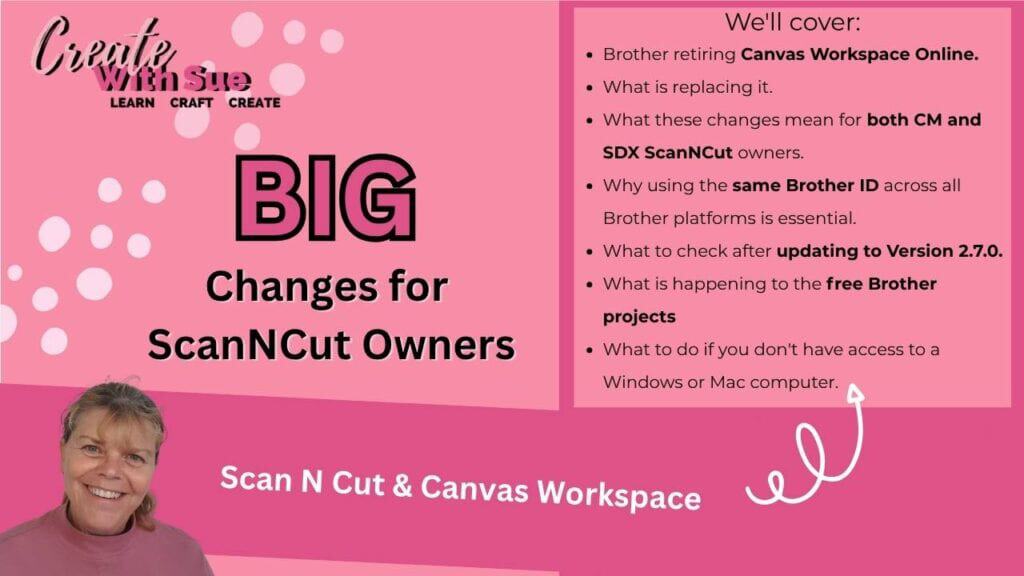
If you’re a Brother ScanNCut user, this is one update you won’t want to ignore.
While Canvas Workspace Version 2.7.0 includes the latest software update, the biggest news isn’t the update itself—it’s the significant changes Brother is making to the way ScanNCut users access projects, software and services in the future. Do not update your Canvas Workspace version until you read this.
Over the coming months, Canvas Workspace Online will be retired, Brother’s free project library will move to Artspira, and the downloaded version of Canvas Workspace will become the primary software for designing and managing your ScanNCut projects. These changes will affect every ScanNCut owner, although the impact will vary depending on whether you own a CM or SDX model and the devices you use.
The good news is that your ScanNCut isn’t becoming obsolete. In fact, most users will continue creating and cutting projects much as they always have. However, there are some important steps you should take before 1 October 2026 to ensure you don’t lose access to projects, purchased content, or other Brother resources.
In this guide, I’ll explain exactly what’s changing, what isn’t changing, and what you need to do to prepare.
We’ll cover:
- What to do before Brother retires Canvas Workspace Online.
- How Canvas Workspace Download and Artspira will work together moving forward.
- Why using the same Brother ID across all Brother platforms is essential.
- How to download your existing online projects into the downloaded version of Canvas Workspace.
- What to check after updating to Version 2.7.0, including your registered machines, purchased designs and premium kits.
- Where Brother’s free projects are moving and how to save the ones you want before they’re no longer available through Canvas Workspace Online.
- What these changes mean for both CM and SDX ScanNCut owners.
- What to do if you don’t have access to a Windows or Mac computer.
My goal is to help you understand these changes without the confusion. By the end of this guide, you’ll know exactly what you need to do to keep creating with confidence and make the transition to Brother’s new ScanNCut ecosystem as smooth as possible.
Disclaimer: As an Amazon Associate, I earn from qualifying purchases. Links included in this tutorial may be affiliate links, Amazon or others, meaning I may earn a small commission at no additional cost. These commissions will help me continue creating content for you. Thank you for your support! Read my very boring full disclosure policy here.
Why This Update Matters
If you’ve heard that Brother is shutting down Canvas Workspace, don’t panic—the full story is a little different. While the latest Canvas Workspace Version 2.7.0 update is important, the real news is that Brother is making some significant changes to the way ScanNCut users access their software, projects and online services. Over the coming months, Canvas Workspace Online will be retired, the free project library will move to Artspira, and the downloaded version of Canvas Workspace will become the primary software for creating and managing your ScanNCut projects.
Version 2.7.0 isn’t just another software update.
It is preparing Canvas Workspace for Brother’s future ecosystem, where:
- Canvas Workspace Download
- Artspira
- Brother accounts
will all work much more closely together.
One major change in this version is the removal of the FREE Projects that have already been accessible.
NOTE: The latest version of Canvas Workspace 2.7.0 only supports Windows 11 & MacOS 16,26
Canvas Workspace Online Is Closing
The biggest change is the retirement of Canvas Workspace Online. After 1 October 2026, the web-based version of Canvas Workspace will no longer be available, meaning users will not be able to access the online design platform or the online project library in the same way they have in the past. If you currently use Canvas Workspace through your internet browser, now is the time to start moving your projects across to the downloaded version. This change does not mean that Canvas Workspace is disappearing completely—the downloaded version for Windows and Mac will continue to be available and supported, allowing you to create, edit, save and send projects to your ScanNCut as you do now.
On 1 October 2026
The web version of Canvas Workspace will be retired.
After that date you won’t be able to:
- Design using your web browser
- Access the online Project Library
- Download Brother’s free projects from Canvas Workspace Online
The Downloaded Version Continues
Good news!
Canvas Workspace Download for Windows and Mac is staying.
You can continue to:
- Create new projects
- Edit existing projects
- Import SVG files
- Send projects to your ScanNCut
- Save all your own designs
What Does This Mean For Your Existing Projects?
Your own ScanNCut projects are not disappearing! Any designs you have created yourself, along with your saved FCM files, SVG files and other personal project files, will continue to belong to you. However, if you currently have projects stored within Canvas Workspace Online, it is important that you move them across to the downloaded version before the online service is retired. (If you are already using Artspira you can move them to there)
Once you have updated to Canvas Workspace Version 2.7.0, you will be able to download your existing projects from Canvas Workspace Online into the downloaded version. This is an important step, as it ensures your projects are available locally on your computer rather than relying on the online platform.
After transferring your projects, take some time to check that everything has moved across correctly. Make sure you can access your purchased designs, project collections, kits and any other content linked to your Brother account. If something appears to be missing, the first thing to check is that you are signed in using the same Brother ID that you have always used.
The Importance of using ONE ID Across All Platforms
This is probably the most important tip.
Use the same Brother ID for:
- Canvas Workspace Download
- Canvas Workspace Online (while it’s still available)
- Artspira
If you create multiple Brother IDs you may not see:
- your registered ScanNCut machines
- purchased designs
- purchased pattern collections
- activation cards
- premium kits
Everything is linked to your Brother account.
Your Brother ID is the key that connects your ScanNCut machines, purchased content and project access across Brother platforms. Using different email addresses or creating a new account can result in your machines or purchased designs not appearing, so it is very important to use the same login details for Canvas Workspace Download, Canvas Workspace Online and Artspira.
TIP: If you cannot see your registered machine – Double check that you are using the exact same Brother ID to log in. This is the most common cause of this problem.
Artspira and the Future of Brother’s Creative Ecosystem
As Brother retires Canvas Workspace Online, you’ll begin to see Artspira play a much bigger role in the ScanNCut experience. Brother is bringing Canvas Workspace Download and Artspira closer together, creating a more connected ecosystem where your Brother account links your registered machines, purchased content and creative resources across multiple platforms.
Going forward, Brother’s free project library will be available through Artspira rather than Canvas Workspace Online. This means that if you enjoy downloading Brother’s ready-made projects, you’ll need to install the Artspira app on a compatible smartphone or tablet to browse and access them. Brother has indicated that this closer integration between Canvas Workspace Download and Artspira will continue to develop, so using the same Brother ID across both platforms will become increasingly important.
It’s worth noting that Artspira is a mobile app and is currently available for supported iOS and Android devices. There is no Windows or Mac version of Artspira, so while you’ll continue creating and editing projects in Canvas Workspace Download on your computer, you’ll use Artspira to access Brother’s growing collection of free projects and other supported creative content.
After Updating To 2.7.0
Once you’ve updated:
Sign in using your usual Brother ID.
Then:
Download all of your projects from Canvas Workspace Online into the downloaded version.
Don’t leave them sitting online.
Check Everything
After you’ve downloaded your projects…
Take a few minutes to check that everything has transferred correctly.
Confirm you can access:
- Your personal projects
- Purchased collections
- Premium kits
- Activation card content
- Registered machines
It’s much easier to sort out any issues before October than afterwards.
What Does This Mean For CM and SDX ScanNCut Owners?
The impact of these changes will depend on which ScanNCut model you own. While the move towards Artspira creates new opportunities for many users, there are some important differences between the older CM models and the newer SDX models.
SDX ScanNCut Owners
If you own an SDX model, you are in the best position moving forward. You will continue to have access to the downloaded version of Canvas Workspace on your computer, and you can also use Artspira on a compatible smartphone or tablet. The two platforms are designed to work together as Brother continues developing its connected creative ecosystem.
You will still be able to:
- Create and edit projects in Canvas Workspace Download.
- Import and work with SVG files.
- Save and manage your own designs.
- Access Brother content through your connected Brother account.
- Use Artspira features available for your machine model.
CM ScanNCut Owners
If you own an older CM model, there are some important things to be aware of. CM models are not supported by Artspira, which means these machines will not be able to take advantage of Brother’s new mobile app-based project system.
Your CM machine is still perfectly ok to be used. If you have a computer, you can continue to use the downloaded version of Canvas Workspace, transfer projects using wifi or USB, and work with your own designs and compatible files. However, once Canvas Workspace Online closes, CM owners will no longer have access to Brother’s online project library through the browser.
You can still use alternative software like Sure Cuts A Lot, Affinity Designer or Inkscape.
No Computer?
This is especially important for CM owners who do not have access to a Windows or Mac computer. Previously, the online version of Canvas Workspace provided a way to design and manage projects without installing software. Once that service closes, users without a computer will need to explore alternative design software options and use USB transfer to move compatible files to their ScanNCut.
The most important step for all CM owners is to prepare now—download projects you want to keep, confirm your account details, and make sure you have access to the software and files you need before the transition takes place.
There are a few online SVG software programs like Boxy SVG that may assist you in the next part of your journey.
Who Can Use Artspira?
Artspira supports:
- iPhone
- iPad
- Android phones
- Android tablets
There is currently no Windows or Mac version.
A Quick Guide To Help You
| If you own… | Recommended workflow after October 2026 |
|---|---|
| SDX + computer | Canvas Workspace Download + Artspira |
| SDX + tablet/phone | Artspira + computer when needed for Canvas Workspace |
| CM + computer | Canvas Workspace Download + SVG software |
| CM + no computer | Browser-based SVG software + USB transfer |
Remember – you still have ALL your inbuilt designs and fonts that can create many projects. Plus, the ability to scan.
Before October 1, 2026 – Your ScanNCut Checklist
Here is a quick checklist to work through.
- Save any free Brother projects you want to create before you update anything
- Install or update Canvas Workspace downloaded version to2.7.0
- Sign in using your usual Brother ID you use for all Brother services
- Download any projects currently stored in Canvas Workspace Online
- Check that your purchased designs, collections and kits are available
- Confirm your registered ScanNCut machine appears correctly
- Back up your important FCM, SVG and project files
- Install Artspira if you have a compatible device
- If you own a CM model, review your future workflow and make sure you have a way to create and transfer designs
Things To Consider
Back up your own projects. Even after downloading them, keep a copy of your .FCM files on your computer or an external drive. It’s always wise to have your own backup rather than relying solely on cloud storage.
Verify your registered machines. After signing into Canvas Workspace 2.7.0, check that your ScanNCut is still listed under your Brother account and reconnect it if necessary.
Don’t create a second Brother account by accident. Many users accidentally register with a different email address. This is one of the most common causes of “missing” purchased content and machines.
Purchased content should remain linked to your Brother ID. While the online interface is changing, purchases are tied to your account rather than the old website itself, so users should verify access after updating.
Expect ongoing changes. Brother has indicated this is part of a broader transition, so additional updates to Canvas Workspace and Artspira are likely as they continue integrating the two platforms.
Frequently Asked Questions About the Canvas Workspace Changes
Final Thoughts
Change can be unsettling, especially when we have spent years becoming comfortable with the way our ScanNCut machines work. However, this transition does not mean your ScanNCut is becoming obsolete.
The downloaded version of Canvas Workspace is continuing, your own designs remain yours, and there are still many ways to create amazing projects with your machine. The biggest change is that Brother is moving away from a browser-based experience and towards a more connected system using Canvas Workspace Download and Artspira.
The most important thing you can do is prepare early. Update your software, make sure your Brother account details are correct, download any projects you want to keep, and check that your purchased content is available.
As always, I’ll continue sharing tutorials and information to help you get the most from your ScanNCut, whether you are using an SDX model, a CM model, or exploring new ways to create your projects.
The future of ScanNCut may look a little different, but there are still plenty of creative possibilities ahead.



Follow me on Facebook as well as join the group. Here is the link to my Facebook page.

YouTube
Here is the direct link to my YouTube videos. Remember to like and subscribe when you are on my YouTube channel so you don’t miss any new video releases.

Let’s not forget Instagram. You will find me there too. Here is the link to follow me.

Creative Fabrica Offer
My Amazon Store
Did you know I have an Amazon Storefront? Check out my favorite craft items for all the crafts I love. You will find my favorite HTV, ScanNCut accessories, favorite glues, and sublimation items to name a few. Here is the link if you are interested.
As an Amazon Associate, I may earn a small commission on any sales. These will not cost you a penny more.