
I am so excited to share my first impressions of the Loklik iCraft Cutting Machine! If you’re a fan of crafting and cutting machines, you might be wondering how this new contender stacks up against my Brother ScanNCut cutting machines (I have three) and my Cricut Maker. HTVRont has sent me the new Loklik iCraft to review. YAY!
Well, I’ve just received the iCraft from HTVRont/Loklik, and in this post, I’ll walk you through the unboxing, setup, and cutting my first project. I will share my initial thoughts on its features and performance. Let’s see what this beauty can do.
Video Unboxing The Loklik iCraft Cutting Machine
Here is the video of my unboxing the iCraft cutting machine, connecting it up, and cutting my first project with the materials included in the box. Check the video out to see how I go…. Don’t forget to continue reading the blog post as well as I have included additional information below that I discovered after I made the video.
Unboxing the Loklik iCraft
Disclaimer: As an Amazon Associate, I earn from qualifying purchases. Links included in this tutorial may be affiliate links, Amazon or others, meaning I may earn a small commission at no additional cost. These commissions will help me continue creating content for you. Thank you for your support! Read my very boring full disclosure policy here.
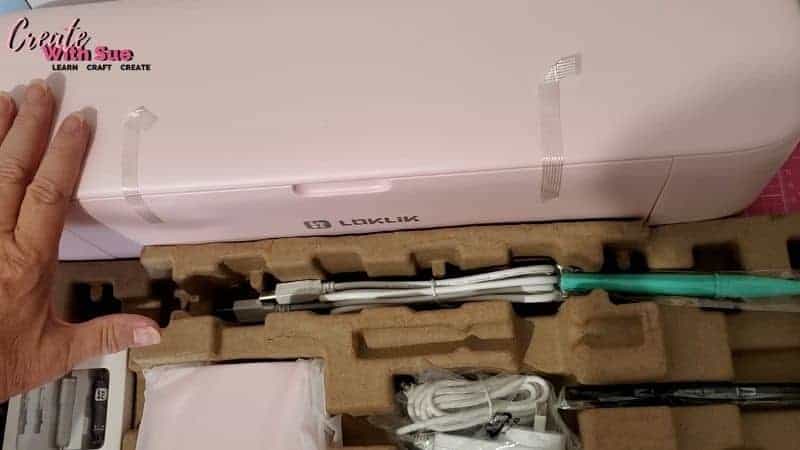
There’s always something special about unboxing a brand-new crafting tool, and the Loklik iCraft is no exception. The packaging is neat and well-organized, with all the essential accessories included. As I opened the box, I found the machine itself, along with a cutting mat, power cable, and a few starter tools to get going.
The first thing I noticed was its sleek design. It has a modern look, and the build feels solid. Right away, I could tell that it was designed with crafters in mind. The size is quite reasonable, making it a great option for those with limited crafting space.
Plus…..it’s PINK!!! How exciting! They come in delightful colors!
Setting Up the Machine
Setting up the Loklik iCraft was surprisingly simple. I plugged it in, followed the quick start guide, and within minutes, it was ready to go. The software setup was straightforward as well. If you’ve used cutting machines before, you’ll find the interface quite intuitive.
One of the features I was eager to test was how well it connects to different devices. The connectivity options seemed smooth, and sending the initial test design to the machine was a breeze. I’ll be testing this more in-depth in future videos and tutorials.
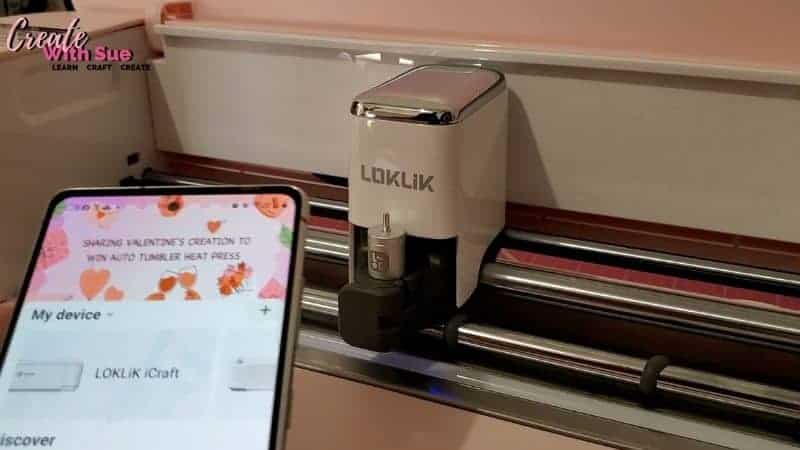
The iCraft cutting machine can use a direct USB connection to your computer or Wireless Bluetooth connection to Windows 10 or later, MacOS 11 or later, iOS 11 or later, and Android 9 or later. I hooked mine up initially with my Samsung phone which was relatively easy to do. Following that, I connected my laptop using the USB cable to cut a design. Both options are good.
Today I checked the iCraft against my desktop PC and it connected both via USB cable and Bluetooth with no problems.
Blades and Accessories Included
Included in the box was:
- The newly released Loklik iCraft cutting machine.
- USB cable to connect to your computer if required
- The power adapter
- A pack with two housings and blades in it. These included the Fine Point Blade housing and 2x fine point blades to suit. It also includes the Pen housing
- Black Pen to suit the Pen housing
- Standard grip mat (green)
- Some HTV for your first test
- Weeding tool
- An envelope with a user guide
Free Design Software
There is free design software for the iCraft. It is called LOKLiK Idea Studio. This is their free AI-powered design software that I have had a bit of a play with and looks quite good. HTVRont tells me that the software includes 50,000+ ready-made images for you to use as they are or edit to suit your project requirements. It is available for Windows, Mac, Android and Apple iOS. So a computer and a phone.
Have you ever thought about creating AI (Artificial Intelligence) designs? These can be a lot of fun to create! AI is another feature of the software.
This is at no additional cost which is great value, keep in mind that the Idea Studio design software is free. There appears to be a limit to AI creations per month which is fairly standard for AI platforms in general.
I have 20 credits per month allocated. If you haven’t used an AI before, research and think about the wording you need to enter into the description box to create the images you want. There is a bit of a knack to it. Aim to make the best use of the credits.
First Test Cut – How Does It Perform?
Of course, the most important part of any cutting machine is its performance. I started with a simple test cut to see how precise the blade was and how well it handled different materials.
My first test was with standard adhesive vinyl, and I was pleasantly surprised by the clean cuts and precision. The machine moved smoothly, and the results were sharp and accurate. I also tried cardstock, and while I will need to fine-tune some settings, the initial results were promising.
I’ll be doing a more detailed comparison with other cutting machines soon, but so far, the Loklik iCraft is off to a great start!
Cutting Mats
I have a fair bit to say about the mats…. At this stage all are positive.
First up, the standard grip mat was included in the box with the iCraft cutting machine. It is the green one and is super sticky. The HTV vinyl coped really well with the stickiness, cardstock did not. The good news is that HTVRont make a range of mats to suit various projects.
- Strong Grip mat – for heavier weight materials like glitter cardstock, leather, fabric with stiffener etc. This is a purple color and easy to identify.
- Standard Grip mat (included) – This is for medium-weight materials which include vinyl, cardstock, patterned paper, and embossed cardstock. Or so it states. I can tell you the mat is a little too sticky for thinner cardstock/paper when brand new. Maybe ok for thicker cardstock. The mat is green in color and once again, very obvious what mat you have.
- Light Grip mat – This is a blue mat and is for printer paper, thin cardstock, vinyl, construction paper, vellum etc.
- Fabric-mat – I haven’t tested the pink mat for fabric however I am thinking I might purchase a pack of mats to give it a try. We will see how we go. I do have the pink Cricut mat so might see how that goes with fabric.
Things that I found exciting about the mats
I have to say, the mats have given me great excitement. (I know, I need to get a life!) Here are the things that I was excited about.
Price of the mats
Price – They are SO DARN CHEAP compared to the Brother ScanNCut mats. I could hardly believe it when I started looking. Can you see why I was excited LOL.
Now, there is a reason for the Brother mats to be pricey and it is to do with the registration marks on the mat that tell the machine about the mat. The Loklik does not have the internal memory and smart features of a ScanNCut and is therefore happy with quite plain mats. I also think Brother items are a little more expensive in general… good, but you pay for the name/quality.
The Loklik iCraft is more like a Cricut, turn it on and the software on your phone or from your computer tells it what to do and it does it. Simple! Push the load button to load the mat and it obeys.
Availability of mats
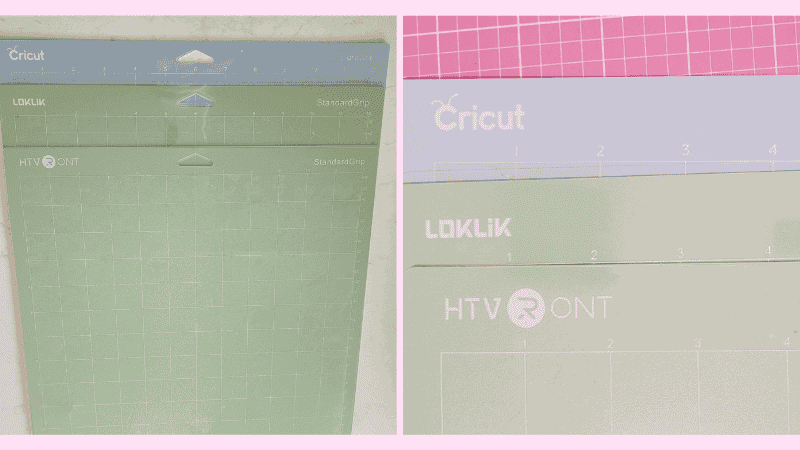
Yes, mats to suit the iCraft were available EVERYWHERE I looked. PLUS, my next bit of excitement was that ages ago I had received a free HTVRont mat with a Heat Transfer Vinyl (HTV) pack I had purchased from HTVRont. (I really like HTVRont vinyl) It fits! Yes, the HTVront mat I had in my stash fits the new iCraft and works perfectly. Yay!
Then, I have more to top that off. Due to having a very sticky green Loklik mat and wanting to do a sticker video with the iCraft (video in progress), I got out my light grip Cricut mat (blue mat), and that too works perfectly in the iCraft. I absolutely love mix and match so Whoohoo.
Pictured are the mats I have used successfully so far. I will give you two guesses which ones were the least expensive.
Other Compatible Software
The next exciting thing that I thought was pretty cool is that Sure Cuts A Lot 6 (SCAL6) supports the Loklik iCraft. Yep, you can add this cutting machine to the Cutter settings and set the design software up to create projects for the iCraft cutting machine.
You still need to upload the SVG design to the Idea Studio (like you do for a Cricut) however it adds another powerful design level to using the cutting machine. I personally LOVE Sure Cuts A Lot and have purchased a few versions of it now. SCAL6 has some additional great features compared to SCAL5.
Here is a quick look at the basic features of SCAL
First Impressions of the Loklik iCraft – Is It Worth It?
So, what do I think after my initial test? The Loklik iCraft Cutting Machine seems like a fantastic option for crafters looking for a user-friendly and precise machine. The setup was easy, the first test cuts were impressive, and the machine itself feels well-built. With some added price benefits it is one to consider.
I’m really excited to explore more of its features, test different materials, and see how it compares for more advanced projects. If you’re considering getting a Loklik iCraft, stay tuned for more tutorials and reviews as I dive deeper into what this machine can do! I already have the Print-Then-Cut feature in progress. It is a fun ability of the machine for anyone interested in making stickers. I have been having lots of fun exploring what the iCraft can do.
Exclusive Offer from HTVRont
I have been provided an exclusive $30 discount code when purchasing the Loklik iCraft cutting machine. (I think this is on the Australian HTVRont website only??) The code is – SUE30 and is valid from now until the 31st of March 2025. This makes the machine even more budget friendly.
Have you tried the Loklik iCraft yet? Let me know in the comments—I’d love to hear your thoughts!
Happy creating


Would you like to learn all about creating your very own designs in Canvas Workspace? This course is ideal for beginners and intermediate users of Canvas Workspace (downloaded version)






What is the Loklik iCraft Cutting Machine, and how does it work?
Hi, the Loklik iCraft cutting machine is a crafting machine from the Loklik/HTVRont company. It is very similar to the Cricut cutting machines, in particular, the Cricut Maker. The iCraft will Cut designs out, Draw designs, Foil designs with their Foiling tool. The machine uses Loklik software called Idea Studio where you can upload SVG designs or create your own design from scratch. It also has pre-made designs with in the software and some ability to create AI designs for the cutting machine.
Good Information
Regards, Unissula
Thank you 🙂