Create With Sue Resource Library – How to access it.
This tutorial will assist you in accessing the Create With Sue Resource Library. The Resource Library is a treasure trove of free designs and resources to help you create stunning projects with your cutting machine. In this tutorial, you’ll learn everything you need to know to access the library, locate the files you want, unzip them, and import them into Canvas Workspace for use with your Brother ScanNCut.
What is the Create With Sue Resource Library?
The Resource Library is a free collection of high-quality designs curated specifically for crafting enthusiasts. Whether you’re working on vinyl, HTV, paper crafts, or other projects, this library offers a variety of SVG files and resources to inspire your creativity.
Once you’ve accessed the library, you’ll find files categorized for easy browsing. These designs are compatible with Canvas Workspace and some designs may suit other cutting machine software, making it simple to start your next project.
Video Tutorial – How to access the Create With Sue Resource Libary
This tutorial gives you a step-by-step walkthrough on how to access the Resource Library and other tips on managing the downloaded files.
Accessing the Resource Library
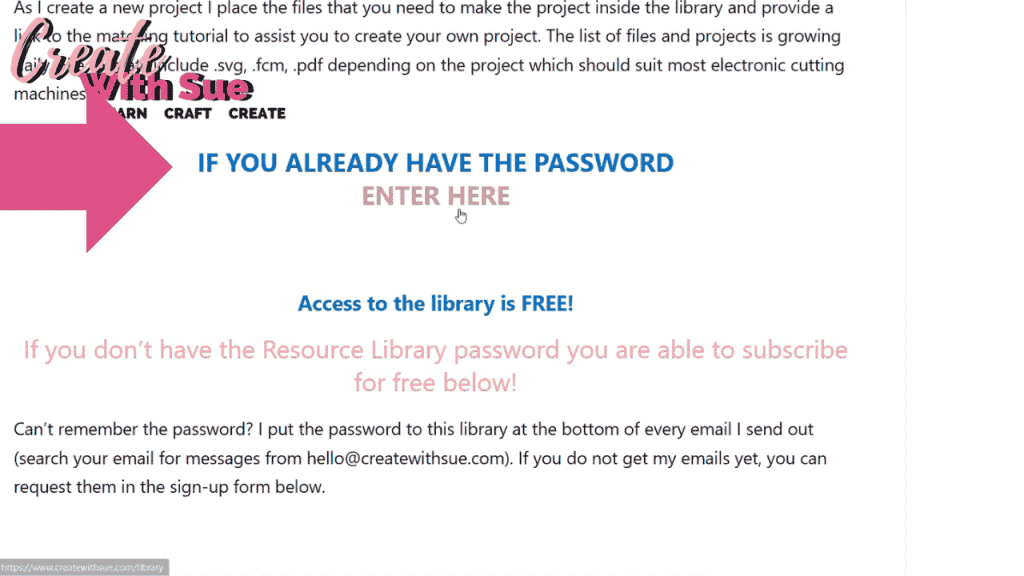
To access the Resource Library, you’ll need to visit the Create With Sue website. Navigate to the Resource Library section, which is exclusively available to registered users. If you’re not yet registered, you’ll need to register by entering your name and email address.
Once registered, you’ll receive an email with the login details. Use these credentials to log in and access the library. If you ever misplace your login details, don’t worry—you can locate the password in the bottom section of any of my emails.
Picture of the Entry Point for the Resource Library
Finding the Designs You Want
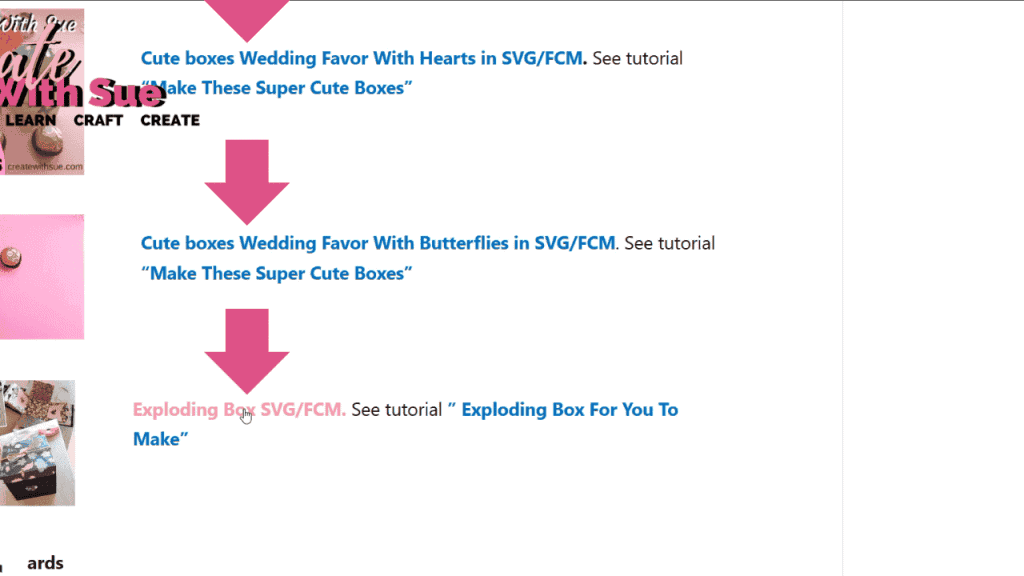
After logging in, you’ll be greeted with a well-organized library of resources. Browse through the categories or use the search feature to locate specific designs. Each file includes a preview image and a short description to help you decide if it’s the right fit for your project.
Click on the download button to save the file to your computer. Be sure to note where the file is saved, as you’ll need to locate it in the next steps.
Unzipping Your Downloaded Files
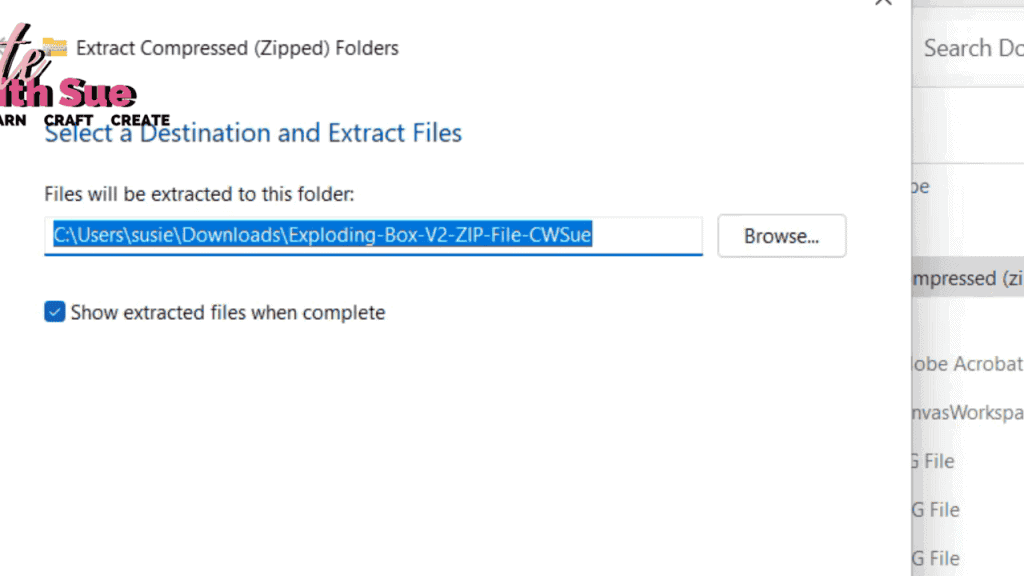
The files in the Resource Library are downloaded as compressed ZIP folders. To use the designs, you’ll need to unzip these files.
- On Windows: Right-click the ZIP file, then choose “Extract All.” Follow the prompts to extract the contents.
- On Mac: Double-click the ZIP file to automatically extract its contents.
The unzipped folder will contain your design files, often in SVG format, along with any instructions or additional resources provided. Please do not share the digital files directly with others. Instead, kindly encourage them to visit the Resource Library to access the designs themselves
Importing Designs into Canvas Workspace
With your files unzipped, you’re ready to import them into Canvas Workspace. Open Canvas Workspace on your computer or tablet and follow these steps:
- Click on “File” in the top menu and select “Import from Your Computer.”
- Locate the unzipped design file on your computer.
- Click “Open” to import the design into Canvas Workspace.
Once imported, you can resize, edit, and customize the design to suit your project before sending it to your ScanNCut machine.
A feature of the Canvas Workspace downloaded version is the ability to drag and drop. SO easy!!
Once you have unzipped your design, open Canvas Workspace and simply drag the file onto the canvas and it will import.
Alternatively…….
Depending on how you have configured your files, you may be able to double-click on the file and Canvas Workspace will automatically open the file.

NOTE: I have configured my SVG files to open in Affinity Designer so in this instance, it opens directly to Affinity Designer. I have included instructions in the video on how to alter your selection.
Tips for Getting the Most from the Resource Library
- Check back often, as new designs are added regularly.
- Take advantage of the detailed instructions and tutorials included with many designs.
- If you encounter any issues, let me know in our Facebook group or contact me directly for support.
Start Crafting Today
The Create With Sue Resource Library is your gateway to endless creative possibilities. From beautiful SVG files to helpful tutorials, you’ll find everything you need to make your crafting experience fun and rewarding.
Log in today and start exploring the library to bring your creative ideas to life!


Join me on Facebook
Join me in the Scan N Cut – Let’s Create With Sue Facebook group. It is a group of awesome craft friends sharing and caring.
I would love to see you there.
You are always welcome to say Hi at [email protected] or [email protected]. It would be great to hear from you!

YouTube
Here is the direct link to my YouTube videos. Remember to like and subscribe when you are on my YouTube channel so you don’t miss any new video releases.

Follow me on Facebook as well as join the group. Here is the link to my Facebook page.